Table of Contents
Graphics card pricing stabilized in 2026 after years of volatility. Budget GPUs now deliver features that cost $600+ in 2023 - ray tracing capability, DLSS/FSR upscaling, and enough power for 1080p gaming at 144Hz+. Understanding which GPU matches your monitor and games helps you avoid overpaying.
We analyzed current GPU performance data, studied community benchmarks from Reddit's r/BuildAPC and r/PCGaming, and compared expert reviews. Here's what matters when choosing a budget graphics card for 1080p gaming in 2026.
What Makes a Budget GPU Good?
Before looking at specific cards, here's what affects gaming performance:
- 1080p performance - Target 60+ FPS at high settings in modern games
- Ray tracing - Budget cards now handle RT at 1080p with upscaling
- Upscaling tech - DLSS (NVIDIA) or FSR (AMD) boost FPS significantly
- VRAM - 8GB minimum, 12GB better for future-proofing
- Power efficiency - Affects electricity cost and PSU requirements
- Price per frame - Performance divided by cost
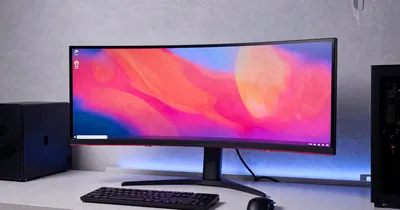
The right GPU depends on your monitor's refresh rate and the games you play. A 1440p 165Hz monitor needs more power than 1080p 144Hz.
NVIDIA vs AMD in 2026
Both offer competitive options under $400:
NVIDIA advantages:
- DLSS 3.5 (better quality than FSR)
- Better ray tracing performance
- NVENC encoder (streaming/recording)
- Established driver stability
AMD advantages:
- Better raw rasterization performance per dollar
- More VRAM at same price point
- FSR works on older hardware
- Lower power consumption (recent models)
Reality: At 1080p, the difference is smaller than pricing suggests. Choose based on your specific games and whether you value ray tracing (NVIDIA) or raw performance (AMD).
Performance Tiers Explained
Entry 1080p (60 FPS high settings):
- Target: Modern games at 1080p 60 FPS
- Budget: $200-250
- Examples: RTX 4050, RX 7600
Competitive 1080p (144+ FPS):
- Target: Esports titles 144+ FPS, AAA at 100+ FPS
- Budget: $300-350
- Examples: RTX 4060, RX 7600 XT
Max 1080p (RT + high refresh):
- Target: Ray tracing at 1080p, 144 FPS in AAA games
- Budget: $350-400
- Examples: RTX 4060 Ti, RX 7700 XT
Top 6 Budget GPUs for 1080p
1. NVIDIA RTX 4060 - Best Balanced Option
Price: $280-320 | VRAM: 8GB | TDP: 115W
The RTX 4060 delivers strong 1080p performance with DLSS 3.5 and efficient power consumption. Its 115W TDP means it works in smaller builds.
What works:
- DLSS 3.5 Frame Generation
- Ray tracing at 1080p with upscaling
- Low power consumption (115W)
- Runs cool and quiet
Trade-offs: 8GB VRAM limits future-proofing. 128-bit memory bus bottlenecks at 1440p.
Best for: 1080p gamers wanting ray tracing and DLSS on a budget.
2. AMD RX 7600 - Best Price/Performance
Price: $240-280 | VRAM: 8GB | TDP: 165W
The RX 7600 offers excellent raw performance per dollar. It beats the RTX 4060 in rasterization while costing less.
What works:
- Strong 1080p rasterization performance
- FSR 3 upscaling support
- Good power efficiency for AMD
- Lower price than NVIDIA equivalent
Trade-offs: Weaker ray tracing performance. FSR quality trails DLSS.
Best for: Players prioritizing FPS in non-RT games over ray tracing features.
3. NVIDIA RTX 4060 Ti (8GB) - Best for Ray Tracing
Price: $380-420 | VRAM: 8GB | TDP: 160W
The RTX 4060 Ti handles ray tracing better than cheaper options thanks to more RT cores and DLSS 3.5.
What works:
- Stronger ray tracing than RTX 4060
- DLSS 3.5 with Frame Generation
- Good 1080p high refresh performance
- AV1 encoding for streaming
Trade-offs: Expensive for 8GB VRAM. At $400, it competes with AMD cards offering 12GB.
Best for: Ray tracing enthusiasts gaming at 1080p.
4. AMD RX 7600 XT - Best VRAM Value
Price: $320-360 | VRAM: 16GB | TDP: 190W
The RX 7600 XT doubles VRAM to 16GB, future-proofing for games with higher texture demands.
What works:
- 16GB VRAM (most in budget category)
- Strong 1080p and 1440p performance
- FSR 3 with Frame Generation
- Good for content creation (VRAM helps)
Trade-offs: Higher power draw (190W). Costs more than RX 7600 without huge performance gain.
Best for: Future-proofing or 1440p gaming on a budget.
5. NVIDIA RTX 3060 (12GB) - Best Used/Clearance Value
Price: $220-260 (used/clearance) | VRAM: 12GB | TDP: 170W
The previous-gen RTX 3060 still offers solid value with 12GB VRAM and DLSS support at clearance prices.
What works:
- 12GB VRAM (more than RTX 4060)
- DLSS 2 support
- Available used for under $250
- Handles 1080p high settings easily
Trade-offs: Older architecture. No DLSS 3 Frame Generation. Higher power draw than RTX 4060.
Best for: Budget-conscious builders willing to buy previous-gen or used.
6. Intel Arc A750 - Best Alternative
Price: $220-260 | VRAM: 8GB | TDP: 225W
The Intel Arc A750 offers competitive performance with XeSS upscaling at an aggressive price point.
What works:
- Strong ray tracing for the price
- XeSS upscaling (similar to DLSS)
- Good in DX12/Vulkan games
- Frequent driver improvements
Trade-offs: Weaker in older DX11 games. Driver maturity still catching NVIDIA/AMD.
Best for: Gamers playing modern titles willing to trade driver polish for value.
Comparison: Budget GPUs Under $400
| GPU | Price | VRAM | RT Performance | Upscaling | Best For |
|---|---|---|---|---|---|
| RTX 4060 | $280-320 | 8GB | Good | DLSS 3.5 | Balanced |
| RX 7600 | $240-280 | 8GB | Fair | FSR 3 | Price/perf |
| RTX 4060 Ti | $380-420 | 8GB | Very Good | DLSS 3.5 | Ray tracing |
| RX 7600 XT | $320-360 | 16GB | Fair | FSR 3 | VRAM/future |
| RTX 3060 | $220-260 | 12GB | Fair | DLSS 2 | Used/clearance |
| Arc A750 | $220-260 | 8GB | Good | XeSS | Alternative |
VRAM: How Much Do You Need?
8GB:
- Sufficient for 1080p gaming in 2026
- High/Ultra settings in most games
- May limit future AAA titles at max textures
12GB:
- Comfortable headroom for 1080p
- Handles 1440p better
- Future-proof for 3-4 years
16GB:
- Overkill for pure 1080p gaming
- Useful for content creation
- Best future-proofing under $400
Reality: 8GB works fine for 1080p gaming now, but 12GB offers peace of mind.
Upscaling: DLSS vs FSR vs XeSS
DLSS (NVIDIA only):
- Best image quality
- Frame Generation (DLSS 3) doubles FPS
- Requires RTX GPU
FSR (works on all GPUs):
- Good image quality (improved in FSR 3)
- Frame Generation in FSR 3
- More compatible (works on older cards)
XeSS (Intel, works on others):
- Quality between DLSS and FSR
- Growing game support
- Best on Intel Arc cards
Community consensus: DLSS quality leads, but FSR performance boost is significant on AMD cards.
Power Supply Requirements
Budget GPUs have reasonable power needs:
- RTX 4060: 550W PSU sufficient
- RX 7600: 550W PSU sufficient
- RTX 4060 Ti: 600W PSU recommended
- RX 7600 XT: 650W PSU recommended
Modern budget cards are efficient. A quality 550-650W PSU handles most builds.
Common Mistakes to Avoid
Buying too much GPU for your monitor: An RTX 4070 is wasted on a 1080p 60Hz monitor. Match GPU to display capabilities.
Ignoring used market: Previous-gen cards (RTX 3060, RX 6700) offer great value used at $200-250.
Overpaying for VRAM: 16GB looks good on paper but doesn't help 1080p gaming performance versus 8GB.
Forgetting about upscaling: DLSS/FSR can boost FPS 50-80%. Factor this into performance comparisons.
How to Choose Your Budget GPU
Match the GPU to your priorities:
If you play at 1080p 144Hz: RTX 4060 ($280-320) or RX 7600 ($240-280) both deliver.
If ray tracing matters: RTX 4060 Ti ($380-420) handles RT better with DLSS 3.5.
If you want maximum future-proofing: RX 7600 XT ($320-360) with 16GB VRAM.
If budget is tight: RX 7600 ($240-280) offers best performance per dollar.
If you might upgrade to 1440p: RX 7600 XT or RTX 4060 Ti handle resolution bump better.
Check your PSU wattage and monitor specs before buying.
Final Thoughts
Budget graphics cards in 2026 deliver better value than previous years. Ray tracing became accessible, upscaling tech matured, and prices stabilized.
The RTX 4060 offers the best balance for most 1080p gamers with DLSS 3.5 and ray tracing. If budget is tight, the RX 7600 delivers excellent raw performance for $240-280. Those wanting maximum future-proofing should consider the RX 7600 XT with 16GB VRAM.
Match your GPU to your monitor. A 1080p 144Hz display needs less power than 1440p 165Hz. Check benchmarks for the specific games you play before buying.
Explore more gaming guides at TopicNest Gaming.
Gaming content is for entertainment and educational purposes.
Affiliate Disclosure: This article contains Amazon affiliate links. We may earn commission from qualifying purchases at no cost to you.
TopicNest
Contributing writer at TopicNest covering gaming and related topics. Passionate about making complex subjects accessible to everyone.