Table of Contents
Gaming monitor technology advanced rapidly in the past two years. Features that cost $800+ in 2024 - OLED panels, 240Hz refresh rates, HDR1000 - now appear at mid-range prices. Understanding which specs matter for your games helps you avoid overpaying for features you won't use.
We analyzed current monitor trends, studied feedback from Reddit's r/Monitors and r/PCGaming, and compared expert reviews. Here's what matters when choosing a gaming monitor in 2026.
What Makes a Gaming Monitor Good?
Before looking at specific recommendations, here's what affects gaming performance:
- Refresh rate - How many frames per second the monitor displays (60Hz, 144Hz, 240Hz, 360Hz)
- Response time - How quickly pixels change color (1ms is standard for gaming)
- Panel technology - IPS (colors), VA (contrast), TN (speed), OLED (everything)
- Resolution - 1080p (performance), 1440p (balanced), 4K (visuals)
- Adaptive sync - G-Sync or FreeSync eliminates screen tearing
- Size - 24" (competitive), 27" (standard), 32"+ (immersive)
The right monitor depends on what you play and your PC's capabilities. A 4K 144Hz monitor means nothing if your GPU can't push those frames.
Resolution vs Refresh Rate Trade-off
You'll face a choice between higher resolution and higher refresh rate:
1080p (1920x1080):
- Easiest to run (high FPS on mid-range GPUs)
- Preferred for competitive FPS (CS2, Valorant, Apex)
- 240Hz+ refresh rates common
- Less sharp on screens larger than 24"
1440p (2560x1440):
- Sweet spot for most gaming in 2026
- Noticeably sharper than 1080p
- 144-180Hz achievable on modern GPUs
- Works well on 27" screens
4K (3840x2160):
- Best visual quality
- Requires high-end GPU (RTX 4080+)
- 144Hz models exist but expensive
- Better for single-player games than competitive
Community consensus: Competitive players choose 1080p 240Hz+. Everyone else benefits from 1440p 165Hz as the balanced option.
Panel Technology Explained
IPS (In-Plane Switching):
- Best color accuracy and viewing angles
- Good response times (1ms now common)
- Most versatile choice
- Slight IPS glow in dark scenes
VA (Vertical Alignment):
- Highest contrast ratios (deep blacks)
- Cheaper than IPS at same specs
- Slower response times (can cause smearing)
- Good for dark games and movies
OLED:
- Perfect blacks (pixels turn off)
- Instant response time (0.03ms)
- Best HDR performance
- Risk of burn-in with static content
- Premium pricing (dropping fast)
The shift in 2026: OLED gaming monitors became affordable ($600-900 range). Fast IPS panels now match older TN speed without the color trade-off.
Refresh Rate Guide by Game Type
Competitive FPS (CS2, Valorant, Apex):
- Target: 240Hz+ at 1080p
- Why: Every millisecond matters for reaction time
AAA Single-Player (Cyberpunk, Starfield):
- Target: 120-144Hz at 1440p or 4K
- Why: Visual quality matters more than ultra-high refresh
MOBA/RTS (League, Dota, Starcraft):
- Target: 165Hz at 1440p
- Why: See more of map with higher resolution
Racing/Flight Sims:
- Target: 120Hz ultrawide or OLED
- Why: Immersion and contrast matter most
Your GPU determines realistic options. A 1080p 240Hz monitor is wasted if your PC only pushes 100 FPS.
Size and Viewing Distance
24" monitors:
- Best for competitive gaming, small desks
- Ideal resolution: 1080p
- Viewing distance: 60-80cm
27" monitors:
- Best for most gaming scenarios
- Ideal resolution: 1440p
- Viewing distance: 70-90cm
- Most popular size in 2026
32" monitors:
- Best for immersive gaming, productivity mix
- Ideal resolution: 4K (1440p looks soft)
- Viewing distance: 90-110cm
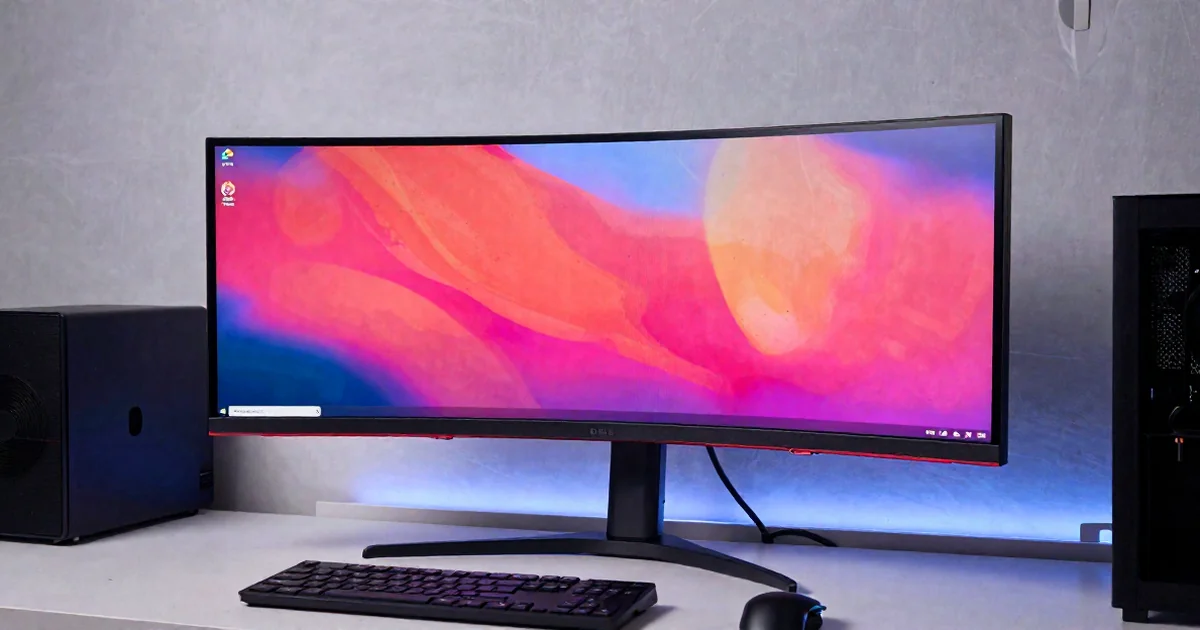
Ultrawide (34"-49"):
- Best for racing, flight sims, RPGs
- Resolution: 3440x1440 common
- Not ideal for competitive FPS
Budget Recommendations
Under $200: 1080p 144Hz Entry
Target specs: 24" 1080p 144Hz IPS, 1ms response time
Best for: Budget gaming PCs, competitive FPS on a budget
$300-500: 1440p 165Hz Sweet Spot
Target specs: 27" 1440p 165Hz IPS, 1ms response time, good color accuracy
Best for: Most gamers with RTX 3060+ or RX 6700+
Examples: Dell S2722DGM, LG 27GP850, Gigabyte M27Q
$600-900: OLED Gaming Revolution
Target specs: 27" 1440p 240Hz OLED, 0.03ms response time, perfect blacks, HDR
Best for: Enthusiasts wanting the best image quality
Examples: ASUS ROG Swift OLED, LG UltraGear OLED
$800-1200: 4K High Refresh
Target specs: 32" 4K 144Hz IPS, HDR600+, for high-end GPUs
Best for: RTX 4080+ owners wanting maximum detail
Examples: Samsung Odyssey Neo G7
Common Mistakes to Avoid
Buying higher resolution than your GPU can handle: A 4K monitor is wasted if your GPU only pushes 60 FPS. Match monitor to PC capabilities.
Ignoring response time: Refresh rate means nothing with slow response time (5ms+). Look for 1ms or faster.
Overlooking panel type: Cheap VA panels can ghost/smear in fast games. Fast IPS costs slightly more but performs better.
Chasing unnecessary refresh rates: If you play at 100 FPS average, a 360Hz monitor won't help. Match refresh rate to realistic FPS.
Comparison: Gaming Monitor Types
| Type | Resolution | Refresh Rate | Price Range | Best For |
|---|---|---|---|---|
| Competitive | 1080p 24" | 240-360Hz | $300-600 | CS2, Valorant |
| Balanced | 1440p 27" | 165-180Hz | $300-500 | Most gaming |
| OLED | 1440p 27" | 240Hz | $700-900 | Image quality |
| 4K Gaming | 4K 32" | 144Hz | $800-1200 | High-end GPUs |
| Ultrawide | 3440x1440 | 144Hz | $500-800 | Immersion |
How to Choose Your Gaming Monitor
Match the monitor to your priorities:
If you play competitive FPS: 1080p 240Hz+ (prioritize refresh rate over resolution).
If you have a mid-range GPU: 1440p 165Hz (balanced performance and visuals).
If you want the best image quality: OLED 1440p 240Hz (premium experience).
If you have a high-end GPU: 4K 144Hz (maximize visual fidelity).
If you play racing/flight sims: Ultrawide 1440p (immersion matters).
Check what FPS your GPU achieves in your games. Buy a monitor that matches your actual performance.
Final Thoughts
Gaming monitors in 2026 offer better value than ever. OLED technology became accessible, fast IPS panels improved, and 1440p 165Hz monitors dropped to $300.
The 27" 1440p 165Hz IPS monitor remains the best choice for most gamers. It balances performance, visuals, and cost. Competitive players benefit from 1080p 240Hz+. Enthusiasts with high-end GPUs should consider OLED for the best image quality.
Match your monitor to your GPU's capabilities. A 4K 144Hz monitor means nothing if you're playing at 60 FPS.
Explore more gaming guides at TopicNest Gaming.
Gaming content is for entertainment and educational purposes.
Affiliate Disclosure: This article contains Amazon affiliate links. We may earn commission from qualifying purchases at no cost to you.
TopicNest
Contributing writer at TopicNest covering gaming and related topics. Passionate about making complex subjects accessible to everyone.