Table of Contents
Sedentary office work creates health risks independent of exercise habits. Research consistently demonstrates prolonged sitting increases cardiovascular disease, diabetes, and mortality risk even among people meeting weekly exercise guidelines. Walking pads address this by enabling movement during work hours rather than requiring separate exercise time.
The walking desk market grew 340% from 2020-2025 as remote work normalized home office customization. What seemed eccentric five years ago now represents mainstream workplace wellness. Understanding the actual benefits, practical limitations, and effective implementation helps determine whether walking desks merit investment.
Health Impacts of Sedentary Work
Extended sitting impairs metabolic function through mechanisms distinct from exercise deficiency. A 2022 study in Diabetologia found each additional hour of daily sitting increased diabetes risk by 22%, independent of moderate-to-vigorous physical activity levels. The body responds differently to prolonged stillness than to insufficient exercise intensity.
Metabolic Effects
Sitting suppresses lipoprotein lipase activity - an enzyme critical for fat metabolism and glucose regulation. This suppression occurs within 90 minutes of continuous sitting, elevating blood triglycerides and reducing HDL cholesterol. Standing improves these markers slightly, but walking provides more substantial benefits.
A 2023 study in Medicine & Science in Sports & Exercise compared sitting, standing, and walking workstations over 8-hour workdays. Walking desk users (1.5-2.0 mph average) showed 25% better postprandial glucose control and 18% higher fat oxidation compared to seated workers. Standing desks produced intermediate effects.
The mechanism involves muscle contraction. Walking engages large leg muscles continuously, maintaining metabolic activity absent during sitting. Even slow walking (1.5 mph) requires sustained muscle recruitment driving metabolic processes.
Cardiovascular Benefits
Low-intensity walking throughout workdays accumulates significant cardiovascular stimulus. Research in the British Journal of Sports Medicine (2023) found office workers averaging 3-4 hours daily walking at 1.5-2.0 mph achieved cardiovascular benefits equivalent to 30-45 minutes of dedicated moderate exercise.
This challenges traditional exercise guidelines suggesting only moderate-to-vigorous activity counts. Very low-intensity movement spread across hours provides comparable benefits through cumulative volume. Walking 2 mph for 4 hours (8 miles) burns 500-600 calories and maintains cardiovascular activation for extended periods.
Blood pressure improvements appear within weeks. A 2022 study following office workers transitioning to walking desks found systolic blood pressure decreased average 8mmHg after 6 weeks - clinically significant reduction comparable to some antihypertensive medications.
Cognitive and Productivity Effects
Movement increases cerebral blood flow, potentially enhancing cognitive function. Research shows mixed results on productivity - some studies find improvements, others show no change or slight decrements depending on task type.
A 2023 meta-analysis in Ergonomics examined 23 studies on active workstations and cognitive performance. Simple tasks (data entry, reading, video calls) showed no productivity loss and occasional improvements. Complex tasks requiring intense concentration (coding, writing, mathematical work) sometimes decreased 5-10% in quality or speed while walking.
The solution involves task-matching. Use walking time for calls, emails, reading, and routine tasks. Sit for deep focus work requiring maximal cognitive resources. This hybrid approach captures movement benefits without compromising critical work quality.
Walking Pads vs Traditional Treadmills
Walking pads differ fundamentally from standard treadmills through compact design, speed limitations, and noise reduction prioritization.
Size and Storage
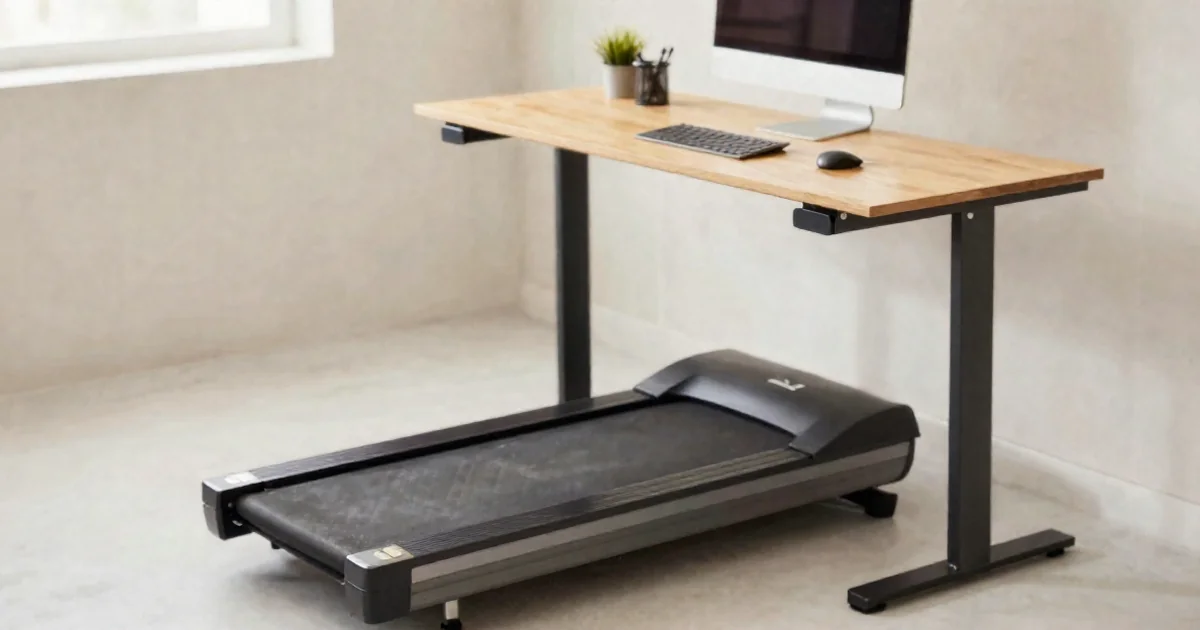
Walking pads typically measure 50x20 inches (running surface) versus standard treadmills' 60x22+ inches. The smaller footprint suits home offices and tight spaces. Foldable models like WalkingPad P1 fold to 5-6 inches height, storing under beds or standing against walls.
Weight ranges 50-80 pounds for walking pads versus 200+ pounds for standard treadmills. This enables easier repositioning and reduces floor stress in upper-level apartments. The lighter construction suits walking speeds but lacks durability for running.
Speed and Motor Specifications
Walking pads max out at 3-4 mph - adequate for walking but preventing running. This limitation reduces motor requirements, noise, and power consumption. Standard treadmills require 2.5+ HP motors supporting running speeds; walking pads function effectively with 1.5-2.5 HP motors.
Lower maximum speeds reduce injury risk and enable safer distraction while working. Running while typing or on calls creates fall hazards absent at walking speeds.
Noise Considerations
Quiet operation proves critical for calls and shared spaces. Modern walking pads use brushless motors and enhanced cushioning producing under 50 decibels - comparable to quiet conversation. Budget models like DeerRun Q1 achieve quiet operation despite lower price points.
Standard treadmills generate 60-70+ decibels from larger motors and higher speeds. This noise level interferes with calls and disturbs household members or neighbors in apartments.
Choosing Walking Pad Models
Features vary significantly across price points. Understanding priorities helps match products to individual needs and budgets.
Budget Options ($150-250)
Entry-level walking pads provide basic functionality - speed control, LED display, remote operation. DeerRun Q1 offers 2.5HP motor, 350-pound capacity, and remote control for $149-200. This price point enables trying walking desks without major financial commitment.
Budget models typically lack apps, automatic speed adjustment, or advanced displays. Manual speed control via remote proves adequate for most users. The primary trade-off involves build quality and longevity rather than core functionality.
Mid-Range Options ($250-450)
This range adds app connectivity, better cushioning, improved motors, and enhanced durability. UREVO Smart models include smartphone apps tracking distance, time, and calories while enabling automatic speed adjustments.
GoPlus 2-in-1 models provide versatility - detachable handrails enable traditional treadmill use for dedicated workouts beyond desk walking. This dual-mode functionality increases utility for people wanting both under-desk walking and standalone cardio options.
Incline-capable models like LONTEK 3-in-1 add adjustable incline (typically 5-15 degrees), increasing calorie burn and engaging different muscle groups. Incline walking burns 30-50% more calories than flat walking at equal speeds.
Premium Options ($500-700)
WalkingPad A1 Pro represents premium tier - superior build quality, quieter operation, better warranty, and refined user experience. The double-fold design reduces storage footprint to minimal dimensions.
Premium models justify higher costs through longevity. Cheaper walking pads may last 1-2 years of regular use before motor or belt issues emerge. Premium options typically endure 5+ years, potentially justifying 3-4x price differences for long-term users.
Setting Up Effective Walking Desk Systems
Successful integration requires proper desk height, keyboard positioning, monitor placement, and workflow adjustment.
Desk Height and Ergonomics
Standing desk height for walking differs from static standing. Arms require slightly lower position while walking due to natural arm swing. Adjust desk 1-2 inches lower than standard standing height.
Elbows should rest at 90-100 degree angles with relaxed shoulders. Wrists remain neutral during typing - neither flexed upward nor downward. Monitor top should align at or slightly below eye level, positioned 20-30 inches from eyes.
Most walking occurs at 1.5-2.5 mph - slower than natural outdoor walking pace. This enables typing and reading without significant difficulty. Speeds above 3 mph challenge typing accuracy and increase fall risk for most users.
Monitor and Input Device Placement
Single large monitors work better than multiple smaller screens while walking. Eye movement between monitors becomes more challenging during movement. Ultrawide monitors (34+ inches) provide screen real estate without requiring head turning.
Wireless keyboards and mice prevent cable management issues. Some users prefer trackpads over mice while walking - the fixed position reduces precision requirements. Voice dictation software becomes more valuable for heavy writing tasks.
Safety Considerations
Side rails or desk edges provide stability during speed adjustments or loss of balance. Keep walking pad centered under desk with adequate side clearance. Emergency stop buttons or automatic stop features prevent injuries if attention diverts unexpectedly.
Avoid loose cables crossing walking surface. Secure power cords along desk legs or use cable management systems. Trip hazards prove more dangerous than stationary treadmills due to distraction while working.
Wear appropriate footwear - athletic shoes with cushioning and grip. Barefoot or socks increase slip risk. Avoid flip-flops or loose footwear that might catch on belt edges.
Integrating Walking Into Work Routines
Maximizing benefits requires strategic task allocation and realistic duration expectations.
Task-Appropriate Activities
Ideal walking desk tasks:
- Email management and responses
- Routine data entry
- Video calls and meetings
- Reading and document review
- Administrative tasks
- Brainstorming and creative thinking
Less suitable tasks:
- Detailed coding or programming
- Precise graphic design work
- Writing requiring intense concentration
- Spreadsheet work with complex formulas
- Any task requiring fine motor precision
Alternating between sitting and walking based on task demands optimizes both productivity and movement. Some users walk mornings for calls and emails, sit afternoons for deep work. Others alternate hourly.
Realistic Duration Goals
Beginners often overestimate sustainable walking duration. Start with 30-60 minute sessions, gradually increasing as adaptation occurs. Most experienced users settle into 2-4 hours daily walking spread across the workday.
Foot and leg fatigue limits duration initially. Supportive shoes and gradual progression prevent overuse injuries. Some users experience lower back discomfort until core strength adapts to extended upright positioning.
The goal involves replacing sitting time, not maximizing walking volume. Walking 3 hours daily while working provides substantial health benefits without requiring additional dedicated exercise time.
Tracking Progress and Consistency
Most modern walking pads include apps tracking daily distance, duration, and estimated calories. Reviewing weekly totals supports consistency through visible progress records.
Setting minimum daily targets (2 miles, 1 hour, etc.) creates accountability. Consistency matters more than maximization - regular moderate use beats sporadic intense use for health outcomes.
Common Challenges and Solutions
Adopting walking desks presents predictable obstacles. Understanding these ahead enables proactive solutions.
Initial Fatigue and Adaptation
First weeks typically involve leg fatigue, foot soreness, and surprising tiredness. The body adapts to prolonged low-intensity activity differently than short intense exercise. This adaptation period lasts 2-4 weeks for most users.
Gradual progression prevents excessive soreness. Week 1: 30 minutes daily. Week 2: 45-60 minutes. Week 3: 90 minutes. Week 4+: 2+ hours as comfortable. This timeline allows physiological adaptation without discouraging early abandonment.
Compression socks reduce leg swelling during adaptation. Cushioned insoles provide additional foot support. Taking brief sitting breaks during walking sessions prevents excessive accumulated stress.
Concentration and Multitasking
Typing accuracy decreases 5-10% while walking initially, improving with practice. Some users never achieve full typing speed while walking - this proves acceptable if walking time focuses on tasks not requiring maximum typing efficiency.
Voice calls improve concentration through reduced fine motor demands. Many users report better engagement during walking calls versus seated calls - movement appears to enhance attention rather than distracting from it.
Task batching helps - grouping similar low-concentration tasks during walking blocks maximizes efficiency. Email processing, routine correspondence, and administrative work batch effectively.
Social and Professional Perception
Video calls while walking raise concerns about professional appearance. Camera positioning and movement speed affect perception. Slow speeds (1.5-2.0 mph) with stable camera mounting appear professional. Faster speeds or handheld cameras create unprofessional bouncing.
Some users disable video during walking calls, citing "technical difficulties" if questioned. Others openly discuss walking desks - reception often proves positive as workplace wellness gains acceptance.
In shared offices, noise and space constraints limit walking desk viability. Home offices provide ideal environments for walking desks without coordination requirements or disturbance concerns.
Research on Long-Term Outcomes
Longitudinal studies on walking desks remain limited given recent mainstream adoption. Available evidence suggests sustained benefits without significant injury risks.
A 2023 study in Occupational & Environmental Medicine followed office workers using walking desks for 2 years. Participants maintained average 3 hours daily walking, accumulating 15+ miles weekly. Weight decreased average 8 pounds over year 1, stabilizing thereafter. Cardiovascular markers improved and sustained throughout 2-year period.
Adherence proves challenging - roughly 40% of users discontinue walking desks within 6 months. Primary reasons include discomfort, workflow disruption, and motivation loss. Users successfully incorporating walking desks long-term typically adjusted workflows around walking compatibility rather than forcing walking during incompatible tasks.
Cost-Benefit Analysis
Walking pads range $150-700. Evaluating value requires considering health benefits, productivity impacts, and alternative approaches.
Health benefits prove substantial for sedentary workers. Reducing sitting time 3+ hours daily provides cardiovascular, metabolic, and mortality benefits potentially worth thousands in prevented healthcare costs. From this perspective, even premium walking pads represent reasonable investments.
Productivity impacts vary individually. People maintaining productivity while walking gain pure upside. Those experiencing 10% productivity decline must weigh health benefits against professional output. Most users find task-matching eliminates meaningful productivity loss.
Alternative approaches include:
- Regular exercise breaks (requires discipline and time)
- Standing desks (partial benefit without cardiovascular stimulus)
- After-work walking (requires separate time commitment)
- Outdoor walking meetings (weather-dependent, coordination-intensive)
Walking desks uniquely enable simultaneous work and movement without additional time requirements. This advantage proves particularly valuable for time-constrained professionals.
Making the Decision
Walking desks suit specific situations better than others.
Ideal candidates:
- Predominantly sedentary work (6+ hours daily sitting)
- Task variety enabling walking-compatible activities
- Home office or private workspace
- Existing standing desk or willingness to invest in one
- Difficulty maintaining separate exercise routines
Less suitable situations:
- Constantly intense focus work (programming, writing, design)
- Shared office spaces limiting equipment options
- Physical limitations preventing extended walking
- Preference for sitting despite health awareness
Trying budget models first enables testing compatibility before major investment. If walking desk works well after 2-3 months, upgrading to mid-range or premium models makes sense based on confirmed value.
Walking pads transform sedentary work into active movement without requiring additional time. Research supports substantial health benefits from replacing sitting with low-intensity walking. Success requires matching tasks to walking compatibility, gradual physical adaptation, and realistic expectations about sustainable duration. For sedentary workers with compatible tasks and workspace, walking desks provide powerful tools addressing health risks of prolonged sitting.
This content is for educational purposes only and not medical advice. Consult healthcare professionals before starting new physical activities.
TopicNest
Contributing writer at TopicNest covering health and related topics. Passionate about making complex subjects accessible to everyone.